

The boring stuff. It's all we do.™
Feature flags, remote config, live log levels, audit logs, and scheduled jobs — five services, six SDKs, one console. For solo devs and small teams who'd rather ship the product than the plumbing.
"If you're building this stuff yourself, you're doing it wrong." — about smplkit
Five services. One account, one console, one set of environments.
Smpl Flags
Turn features on when you're ready.
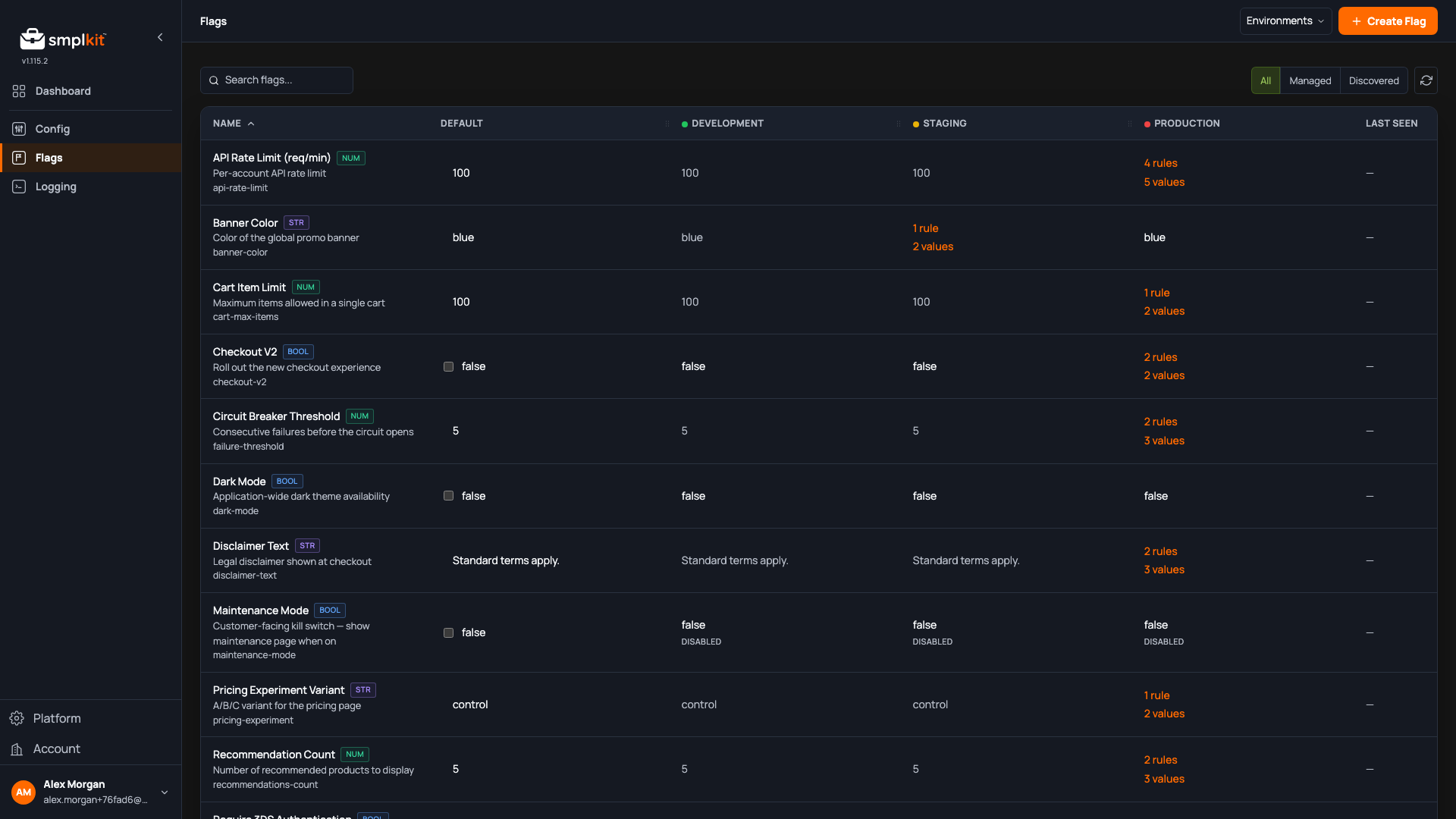
The deploy is not the release. Feature flags with per-environment rules: roll out gradually, target by tier or region, kill a release the moment a bug shows up. Unlimited servers, API requests, and read-only users on every plan.
- 01 Four flag types Boolean, string, numeric, JSON. Closed value sets or freeform.
- 02 Local evaluation SDKs evaluate flags locally with no network call per check.
- 03 Flat per-tier pricing Unlimited servers and API requests on every plan. Tiers differ by flag count, not traffic.
Smpl Config
Remote configuration with real inheritance.
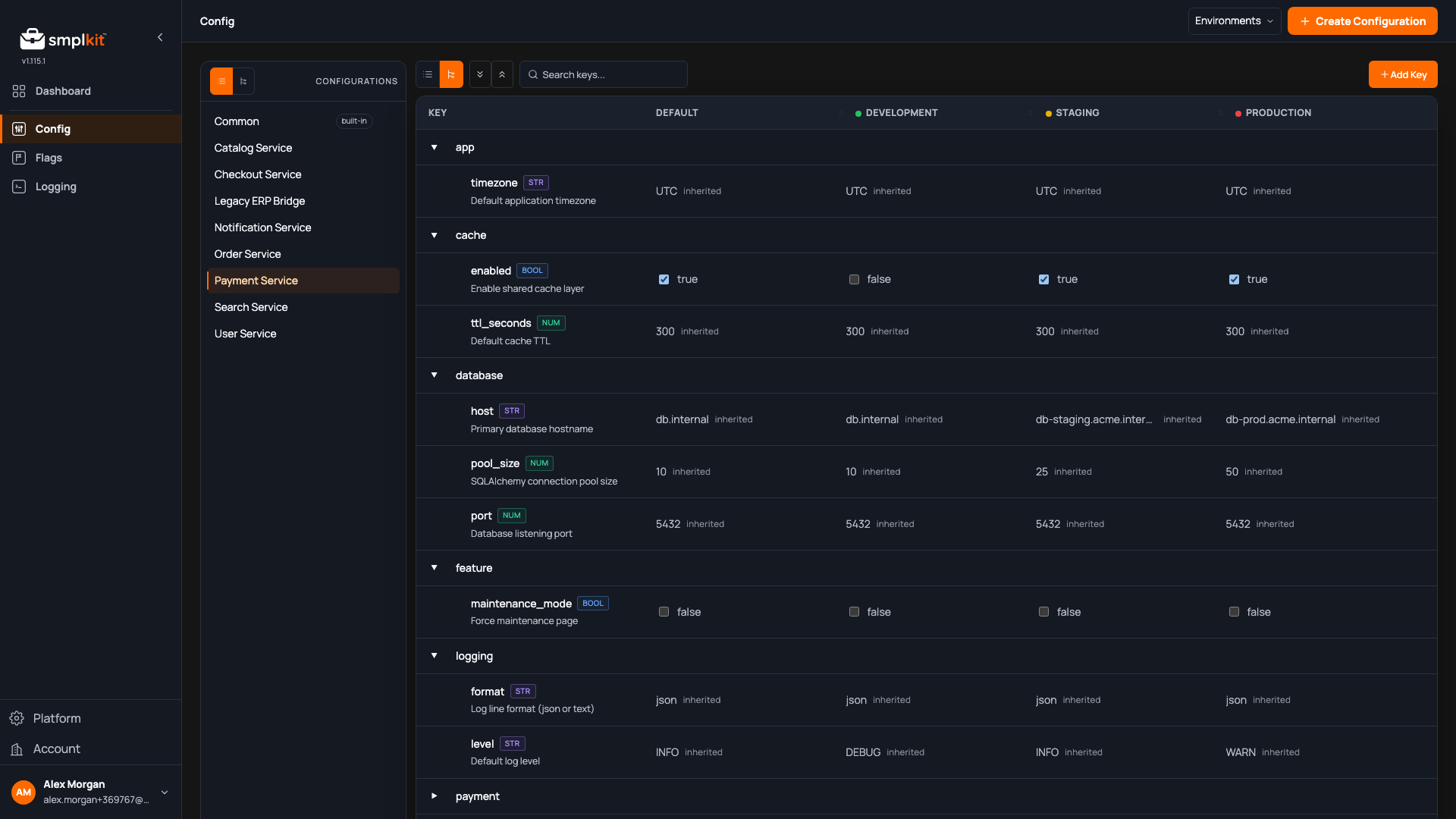
Changing one value shouldn't take a deploy. Define a common configuration once; service-specific configs inherit from it and override only what's different. Per-environment overrides on any value, live updates without a redeploy, and inheritance you can see at every level.
- 01 Inheritance you can see Every cell tells you whether the value is local or inherited.
- 02 Per-environment overrides Override
database.hostin production. Staging keeps inheriting. - 03 Live updates, no redeploys SDKs receive changes and re-resolve in real time.
Smpl Logging
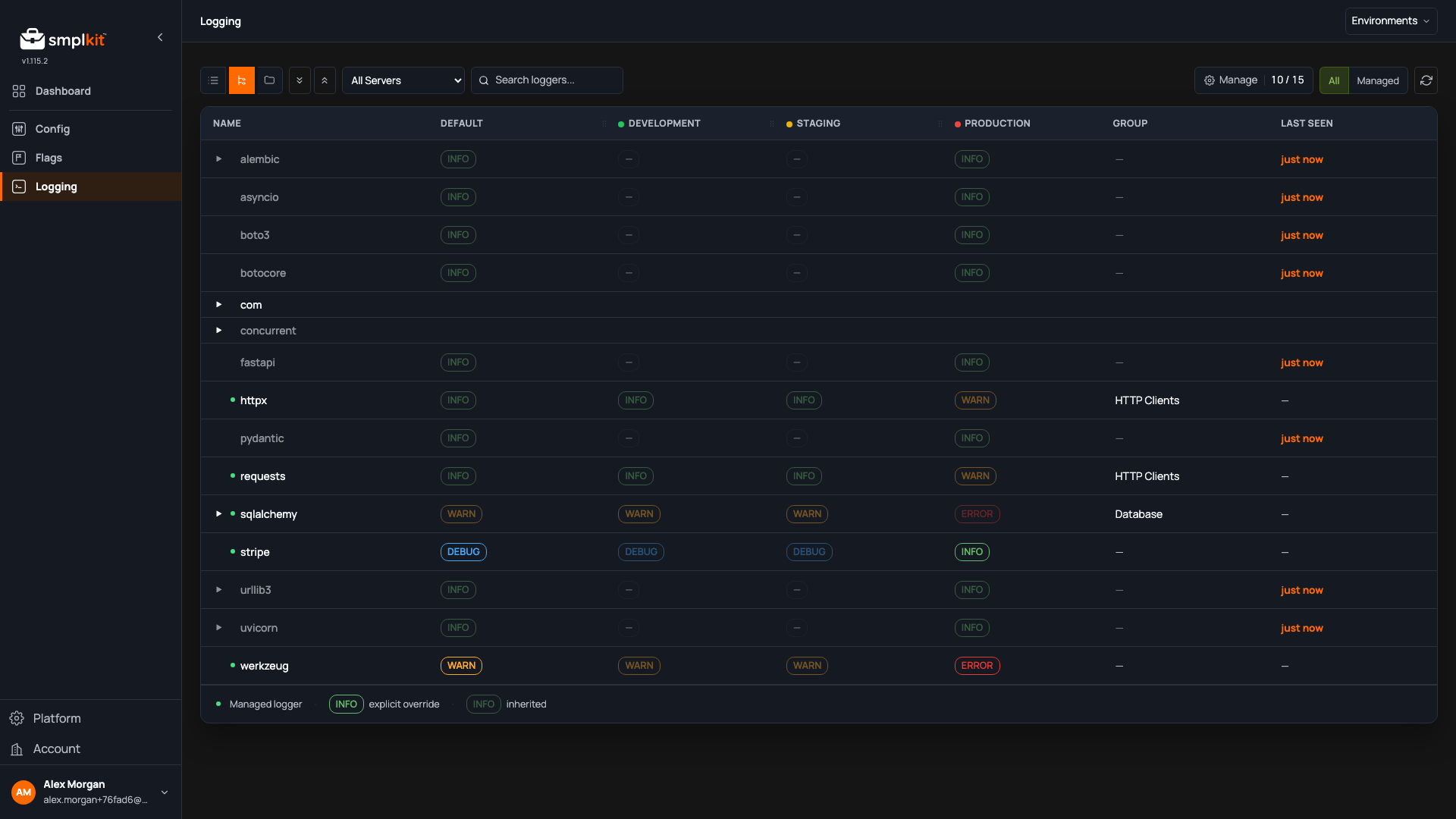
Change log levels in real-time.
Production logging is either too quiet to be useful or too expensive to leave on. Smpl Logging puts you one line of code from real-time control over every logger, in every service, in every environment. Turn on debug in production to diagnose an issue. Silence a noisy logger instantly. No redeploys.
- 01 Auto-discovery Drop in the SDK and every logger gets reported up automatically.
- 02 One-line install
SmplClient().logging.install()— that's it. - 03 Live updates Change a level in the console, applied across every running process.
Smpl Jobs
Scheduled HTTP jobs that run like clockwork.
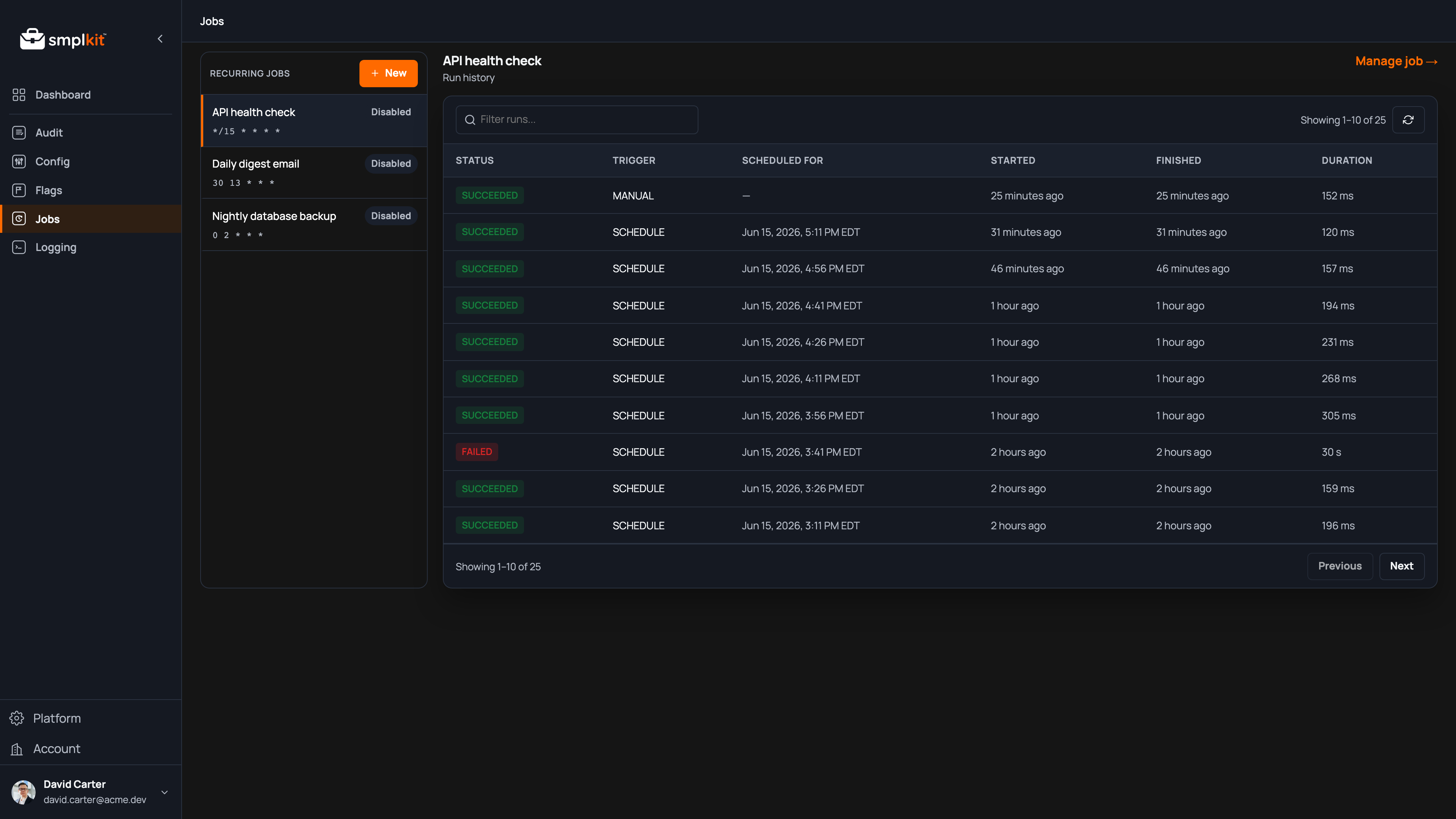
Cron on a server nobody remembers is where scheduled work goes to die. Schedule an HTTP request once or on a recurring cron schedule; Smpl Jobs runs it, retries on failure, enforces a per-run timeout, and captures every request, response, and outcome. It also fires on time — we measured ten schedulers to make sure.
- 01 Cron or one-off, your choice Schedule a request on a recurring cron expression or once at a future moment. Change or cancel it anytime from the console or the API.
- 02 Retries and timeouts built in Failed runs retry on a policy you configure, and a per-run timeout keeps a slow endpoint from hanging your schedule.
- 03 Every run captured Each run records its request, response, timing, and outcome — so you can debug a failure or re-run it on demand.
Smpl Audit
Append-only audit logs. Who did what and when.
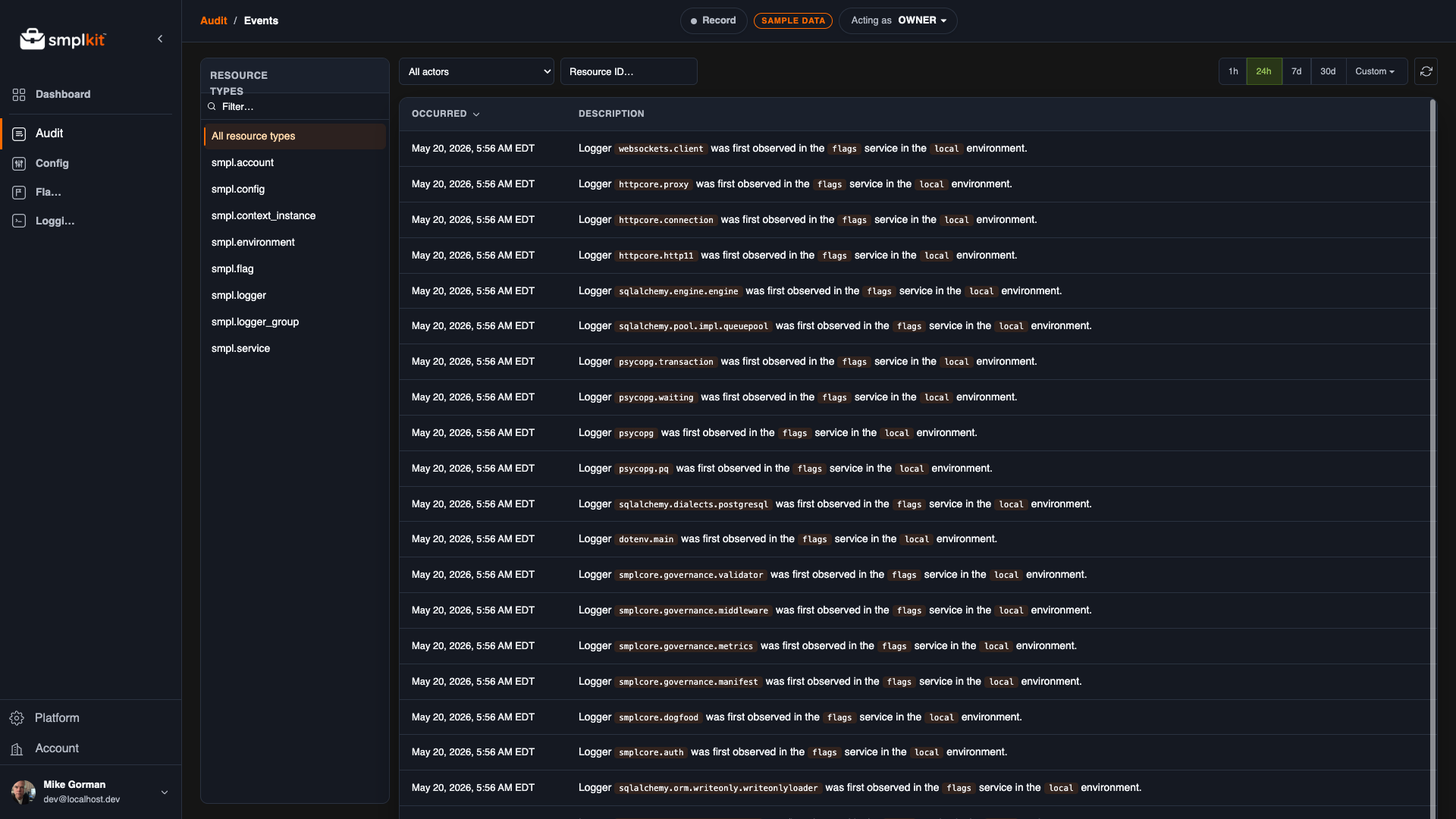
It's 2am, something broke, and the first question is always the same: what changed? Smpl Audit keeps an append-only record of every event and every change — actor, timestamp, any JSON detail you attach. Reconstruct prior state, attribute responsibility, replay history. The 2am question, answered.
- 01 Read and write events via API POST events from any code path. Pull change history into your app to show users what happened and when.
- 02 Full JSON snapshots in every entry Actor, timestamp, and any JSON detail you attach — including full snapshots when you need to reconstruct prior state.
- 03 Stream to any HTTP destination Pre-configured for Datadog, Splunk HEC, Sumo Logic, and others. Generic HTTP for everything else.
FAQ
Am I locked in?
The SDKs are generated from the same OpenAPI specs we publish — everything they do is a documented REST call you could make with curl. Your data comes back out through the same API it went in. There's a CLI and a Terraform provider, so your definitions can live in your repo. Leaving should be a chore, not a negotiation.
What happens when I hit a limit?
Flags, Config, and Logging have no usage meters. Plans gate on things you create — flags, environments, loggers — so the only wall you can hit is at design time, when you click "create," never in production at 2am. Audit and Jobs include a monthly allotment and meter past it at the per-unit rate printed on the pricing page. All four tiers are public, including Enterprise. No "contact sales to see a number."
Can I self-host?
No. smplkit is SaaS. If you need on-prem or a private cloud today, we're not for you yet.
Who is smplkit not for?
Teams that need self-hosting, teams whose auditors need SOC 2 today, and platform teams who like building this stuff in-house. The first two are "yet." The third one we can't help with.